Introduction: Why the Keyboard is More Important Than Ever
As we navigate deeper into 2026, the way we interact with technology has evolved, yet one peripheral remains the undisputed king of productivity and gaming: the keyboard. While touchscreens, voice interfaces, and neural links make headlines, the tactile sensation of a well-made keyboard continues to be the primary bridge between human thought and digital action. Whether you are a software architect, a competitive gamer, or a professional writer, your keyboard is an extension of your hands.
In this ultimate guide, we will explore every facet of the modern keyboard landscape. We'll dive into the physics of switches, the anatomy of a perfect keycap, the health implications of different layouts, and the best practices for maintaining your gear. By the end of this 1500-word journey, you will have the knowledge to choose, customize, and care for the perfect keyboard for your needs.
Section 1: The Heart of the Machine – Mechanical Switches
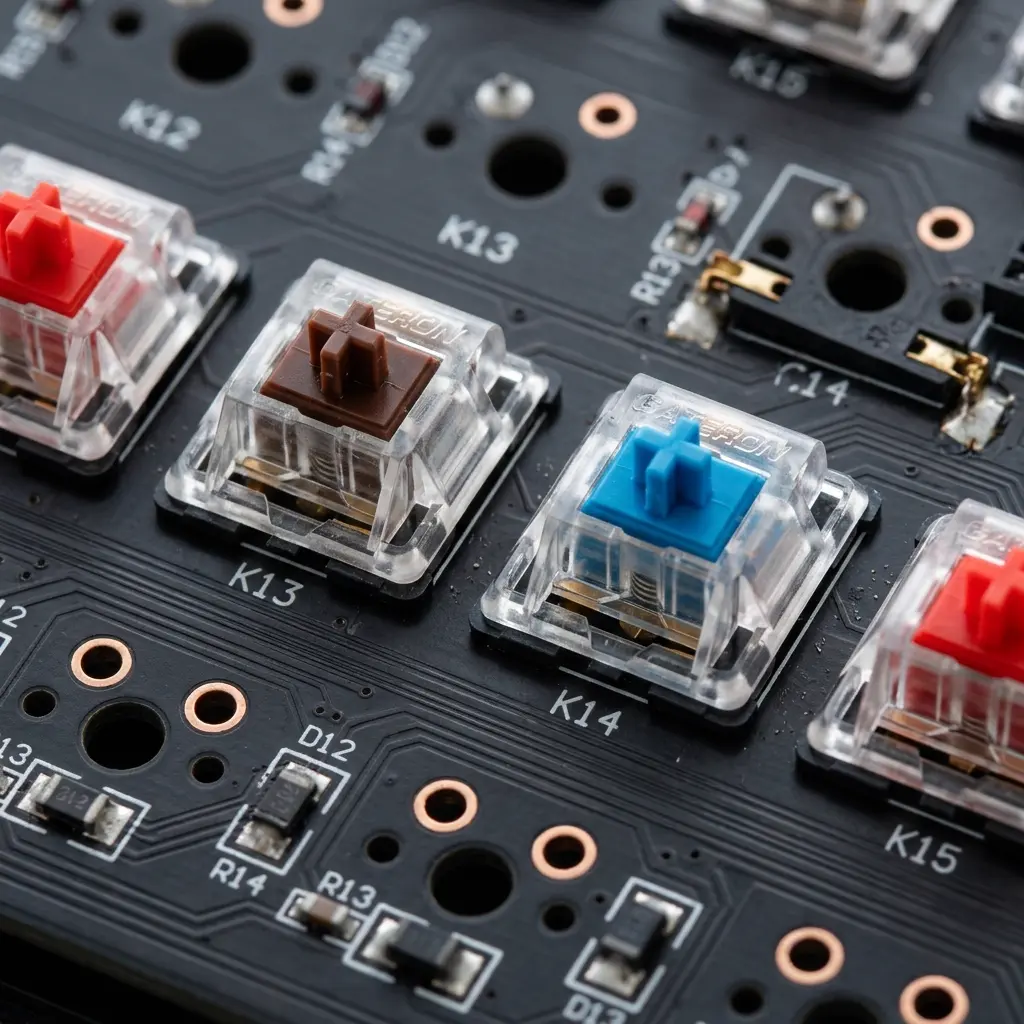
The switch is the single most important component of any mechanical keyboard. It determines how a key feels, sounds, and reacts to your touch. In 2026, the variety of switches has exploded, but they still generally fall into three primary categories: Linear, Tactile, and Clicky.
Linear Switches (The Speedsters)
Linear switches are characterized by a smooth, consistent keystroke from the top until the key bottoms out. There is no tactile bump or audible click at the actuation point. These are the preferred choice for gamers, particularly in fast-paced titles where rapid-fire inputs are crucial. The lack of resistance allows for faster double-tapping and smoother movement.
Tactile Switches (The Typist's Choice)
Tactile switches feature a noticeable "bump" halfway through the keypress, which signals that the key has been registered. This feedback allows typists to avoid bottoming out (pressing the key all the way down), which can reduce finger fatigue and increase typing speed. They are the perfect middle ground for those who both work and play on their machines.
Clicky Switches (The Audio Enthusiast)
Clicky switches are similar to tactile switches but include an additional audible "click" mechanism. They offer the most feedback of any switch type but can be polarizing in office environments due to the noise. However, many enthusiasts love the nostalgic sound and undeniable confirmation of every stroke.
The 2026 Innovation: Magnetic and Optical Switches
Modern keyboards now frequently feature Hall Effect (magnetic) or Optical switches. These use sensors instead of physical metal contacts to register a press. This allows for adjustable actuation points—meaning you can decide exactly how far down you need to press for the key to register—and significantly higher durability since there is no physical wear on the sensor.
Section 2: The Anatomy of a Keycap
While the switch provides the feel, the keycap provides the interface. Not all keycaps are created equal. The material, profile, and printing method all contribute to the overall experience.
PBT vs. ABS Plastics
ABS (Acrylonitrile Butadiene Styrene) is the most common plastic used in budget keyboards. It is easy to mold but tends to develop a "shine" over time as the oils from your fingers wear down the texture. PBT (Polybutylene Terephthalate), on the other hand, is much denser and more durable. It resists shine and often has a slightly textured feel that many enthusiasts prefer.
Profiles: Cherry, OEM, and Beyond
The "profile" refers to the shape and height of the keycaps. Cherry and OEM profiles are sculpted, meaning each row has a different shape to fit the natural curve of your hand. Uniform profiles like XDA or DSA keep every key the same height, which some prefer for aesthetic reasons or specific typing styles.
Section 3: Ergonomics and Health – A Long-Term Perspective
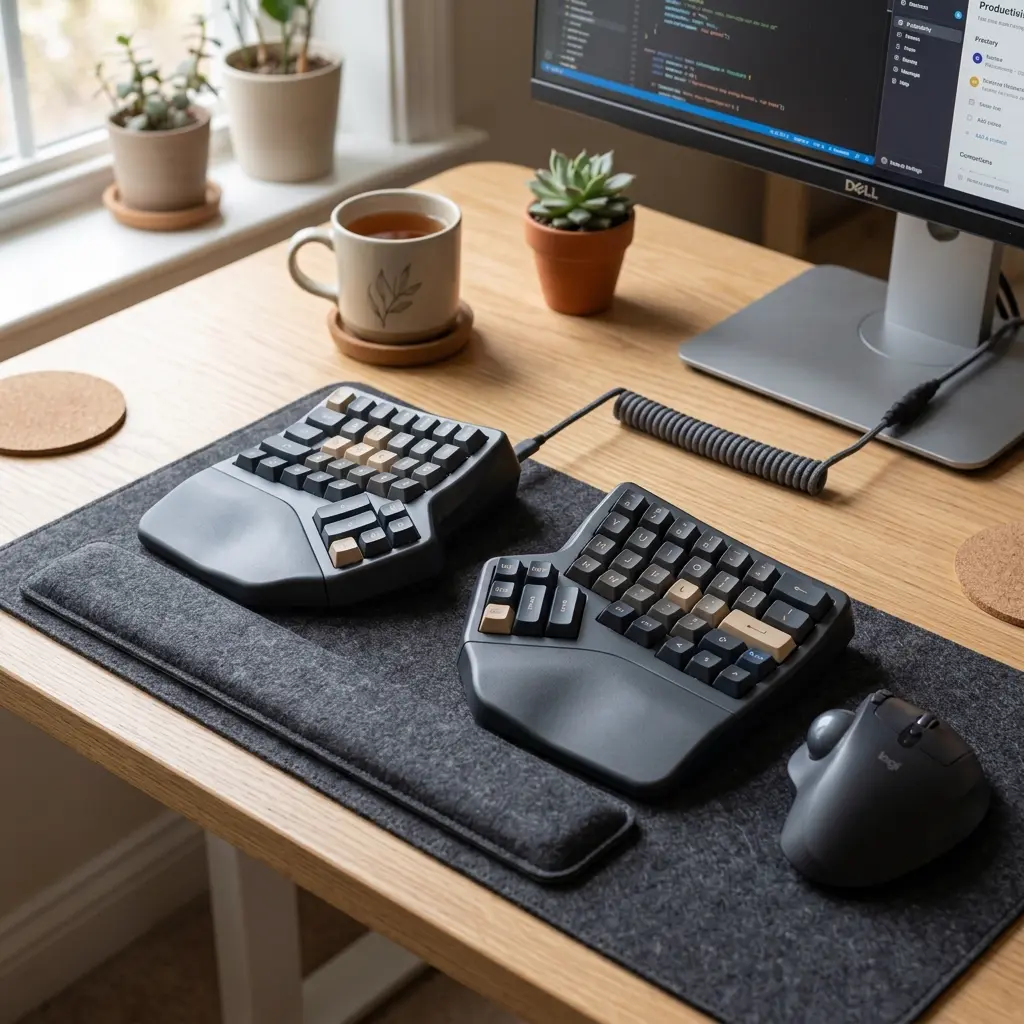
Repetitive Strain Injury (RSI) and Carpal Tunnel Syndrome are serious risks for anyone spending 8+ hours a day on a keyboard. In 2026, ergonomic keyboards have moved from niche products to mainstream essentials. Understanding the different layouts can save you years of pain.
Split Keyboards
A split keyboard divides the board into two halves. This allows you to place the halves shoulder-width apart, keeping your wrists straight and your chest open. This posture reduces tension in the neck and shoulders significantly.
The Ortholinear Revolution
Standard keyboards are staggered, a relic from the days of physical typewriter bars. Ortholinear keyboards align the keys in perfect columns and rows. This minimizes the distance your fingers have to travel to reach keys, reducing overall strain over a long workday.
Tenting and Tilting
Tenting refers to raising the inner edge of the keyboard halves so your hands are in a more natural, "handshake" position. This reduces forearm pronation, which is a leading cause of RSI. Many modern boards come with built-in tenting kits for maximum customization.
Section 4: Advanced Testing and Performance
Your keyboard might feel good, but is it performing? Tools like Keytest.io are essential for verifying the technical health of your device. When testing a high-end keyboard in 2026, there are several metrics to look for:
NKRO (N-Key Rollover)
NKRO means the keyboard can register an unlimited number of simultaneous keypresses. This is vital for gamers and fast typists. You can test this on Keytest.io by mashing multiple keys at once and ensuring every single one shows up blue on the screen.
Polling Rate and Latency
The polling rate is how often the keyboard tells the computer what keys are pressed. While 125Hz was standard for years, modern gaming boards push up to 8000Hz. While the human eye can't see the difference, the reduction in input lag is measurable and can give a competitive edge.
Anti-Ghosting
Ghosting happens when you press certain keys and an extra, unpressed key registers. A high-quality board should have 0% ghosting. Use the diagnostic mode on Keytest.io to ensure your board is ghost-free.
Section 5: The Pro Maintenance Guide
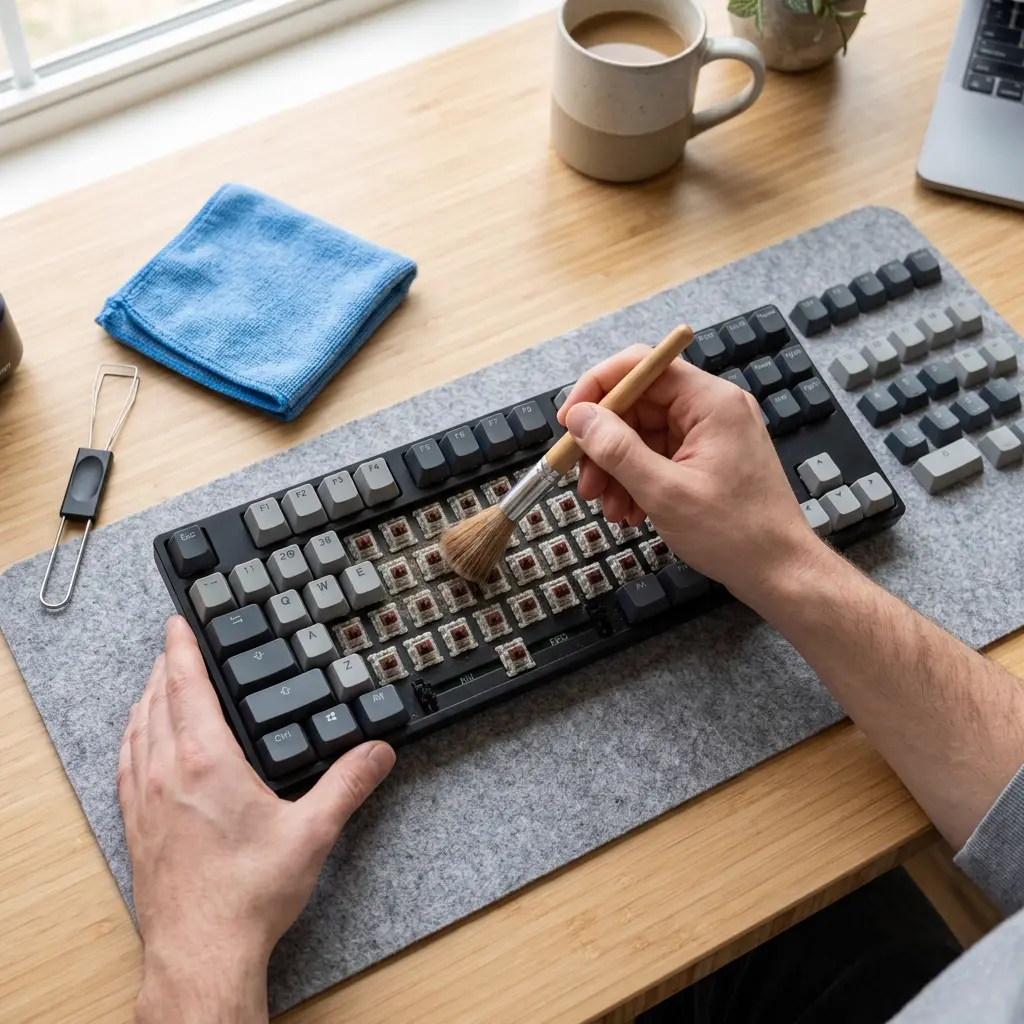
A good keyboard can last a lifetime if cared for properly. Maintenance isn't just about aesthetics; it's about performance and hygiene. Here is the definitive cleaning checklist for 2026:
- The Weekly Dust: Use a small brush or compressed air to clear out crumbs and dust from between the keys.
- The Deep Clean (Monthly): Remove your keycaps using a wire puller. Soak them in warm, soapy water. While they dry, use a cotton swab with 70%+ isopropyl alcohol to clean the plate surface around the switches.
- Lubrication: If your mechanical switches feel scratchy or sound "pingy," applying a high-quality lubricant like Krytox 205g0 to the switches and stabilizers can transform the typing experience from rattly to buttery smooth.
- Firmware Updates: Don't forget the software! Many modern boards use QMK or VIA firmware. Keeping these updated ensures the latest features and lowest latency.
Section 6: Choosing Your Path in 2026
With so many options, how do you decide? It comes down to identifying your primary use case.
| User Type | Recommended Switch | Recommended Layout | Key Feature |
|---|---|---|---|
| Hardcore Gamer | Magnetic / Linear | TKL or 60% | 8000Hz Polling |
| Remote Writer | Tactile / Topre | Full-Size or 75% | PBT Keycaps |
| Health-Conscious | Silent Tactile | Split / Ortholinear | Integrated Tenting |
| The Casual User | Gateron Yellow | 65% Wireless | Hot-swappable PCB |
Frequently Asked Questions (FAQ)
Q: Are mechanical keyboards really better than membrane?
For durability, feel, and customization, yes. However, modern "mecha-membrane" or high-quality scissor switches (like those in Apple keyboards) have their own dedicated fanbases for their low profile and silence.
Q: What is a "Hot-Swappable" keyboard?
A hot-swappable PCB allows you to pull switches out and push new ones in without soldering. This is the best feature for beginners as it allows you to experiment with different feels without buying a whole new board.
Q: Is wireless lag still an issue?
Not in 2026. 2.4GHz wireless technology has reached parity with wired connections in terms of latency. Bluetooth is still slower and better suited for productivity than gaming.
Q: How long should a keyboard last?
A premium mechanical keyboard can last 10-20 years with proper maintenance. Membrane keyboards typically last 3-5 years before the rubber domes lose their snap.
Conclusion: The Journey Never Ends
The world of keyboards is a rabbit hole of science, art, and personal preference. Whether you are searching for the thockiest sound, the fastest response time, or the most comfortable ergonomic setup, the perfect keyboard is out there for you. Your keyboard is the tool you use to build your digital world—investing time and resources into finding the right one is one of the best productivity hacks available.
Ready to see how your current gear holds up?
Run a complete diagnostic on Keytest.io → Start Test NowThank you for reading the Ultimate Guide to Keyboards. Keep typing, keep testing, and keep improving your digital workspace!